LEAN CONSTRUCT Underground

In production since June 2023 on the Lyon–Turin project (lot CO08), with already more than 3,000 shift reports.

Shift reports
First, there are two tools for entering shift reports:
- A PWA: This is a hybrid mobile application that installs via the browser on any device (iOS, Android, Windows, Mac, etc.). The ideal format on tablet for entering shift reports close to the field and on PC for validating reports.
- A web version: This is a web application that opens in your computer's browser for data extraction (PDF reports, tracking tables, tracking sheets, etc.).
Shift reports are entered by team leaders, completed and confirmed by site managers.
Report creation - PWA
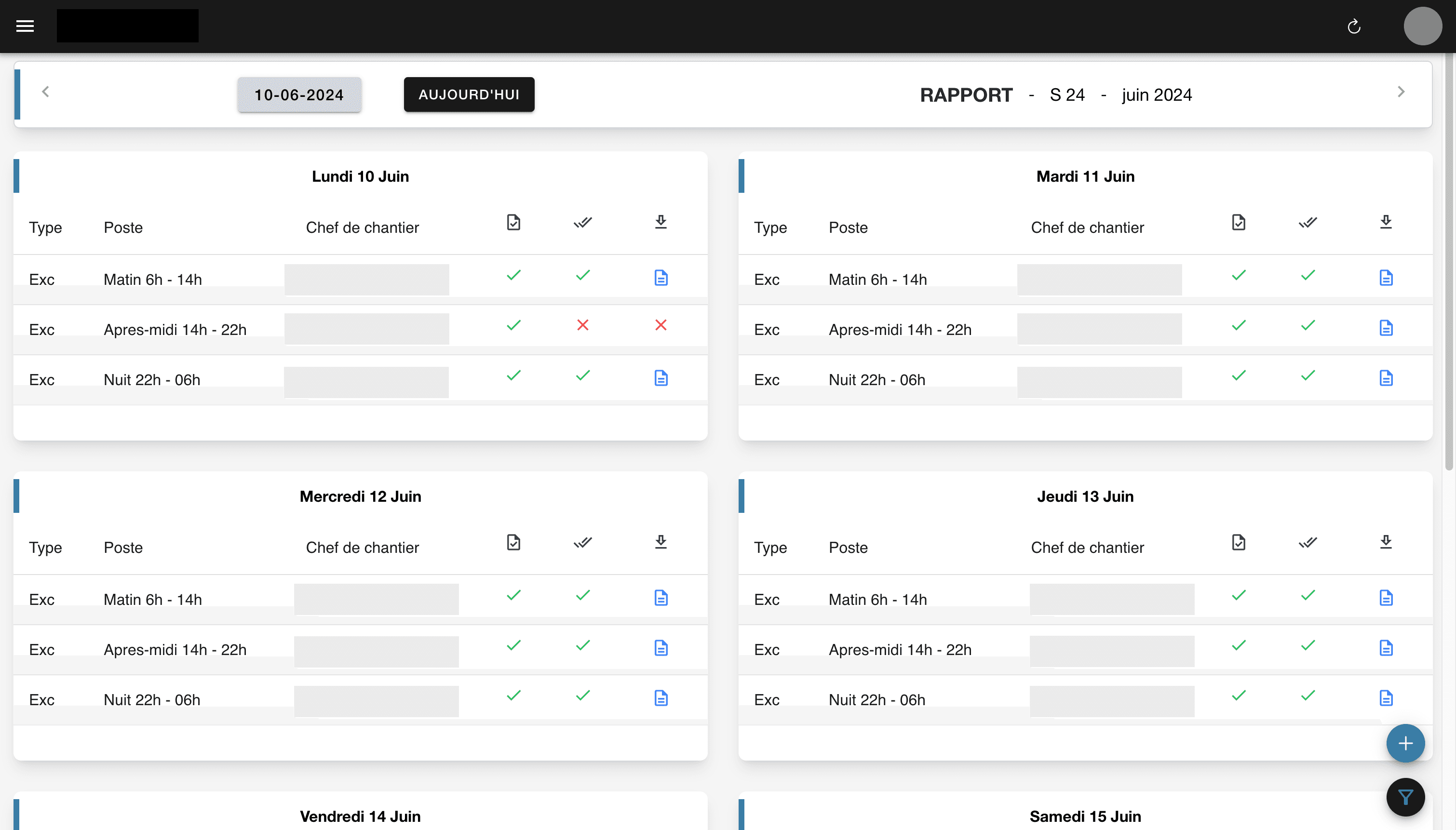
1. Home page
On the PWA and web version home page, you can see the shift reports for the current week. Week-by-week navigation.
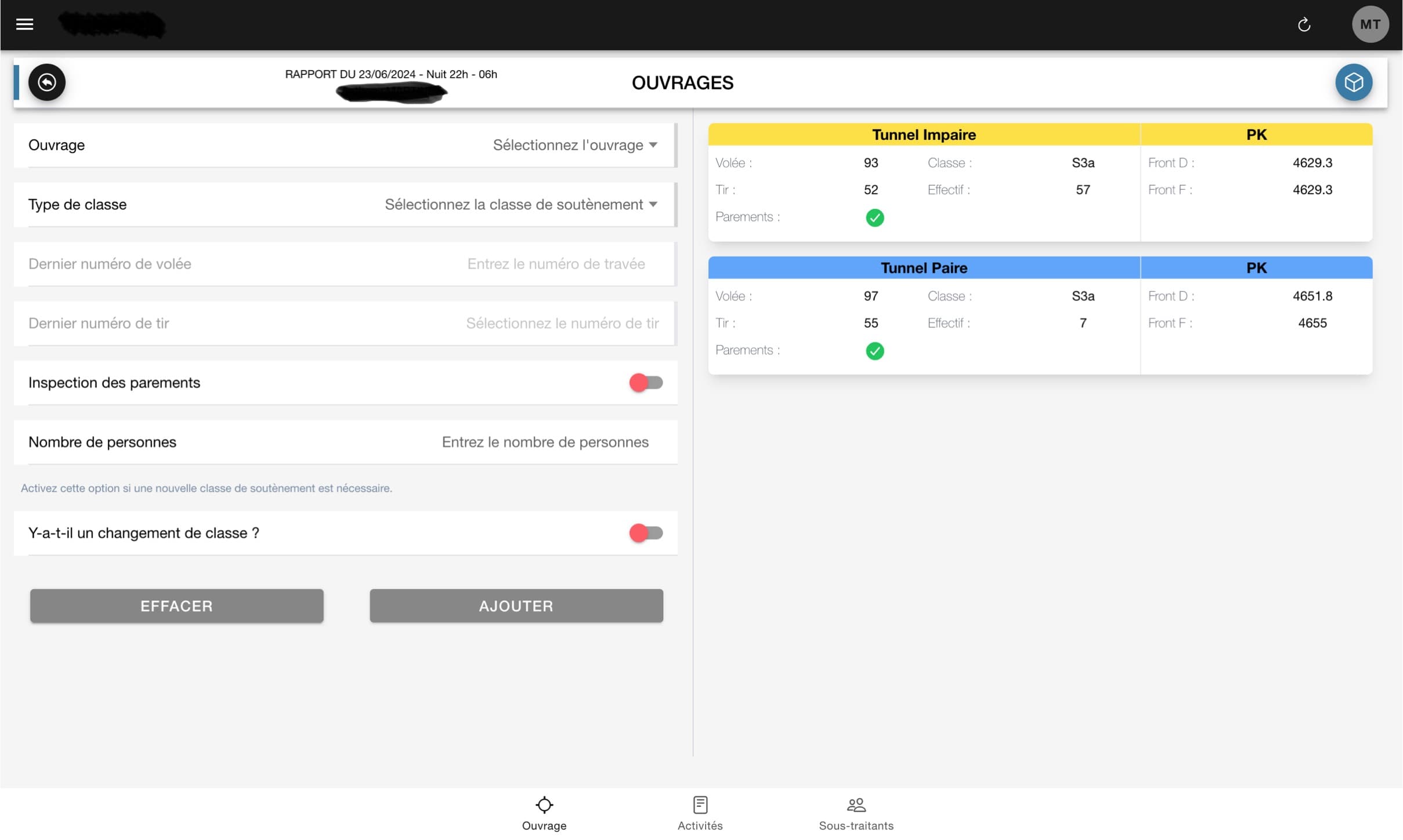
2. Report creation - Structures
When creating an excavation report, select the structures, last blast numbers, support class. The form is automated to bring back the latest data from the previous report as well as the chainages.
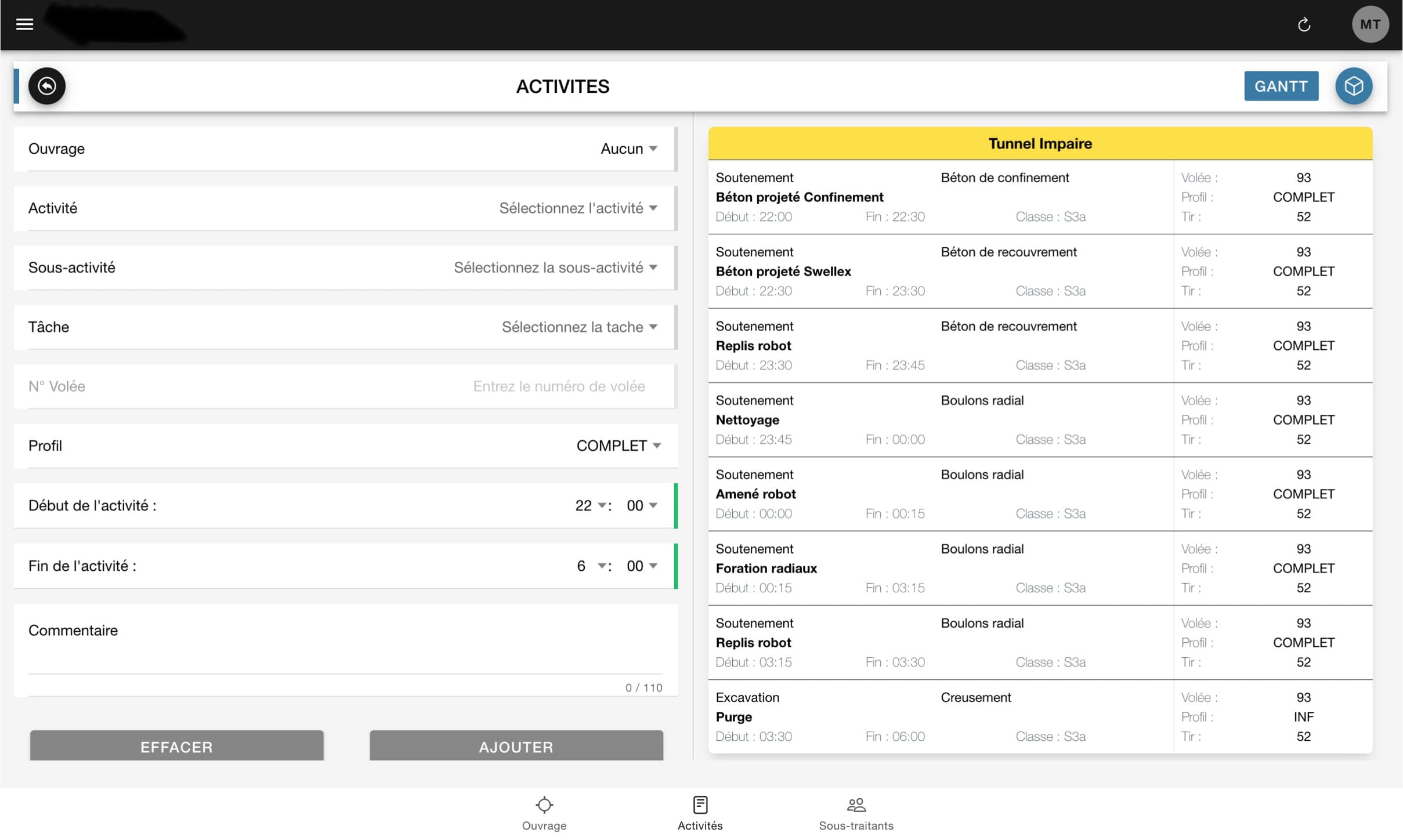
3. Report creation - Activities
Recording tasks by selecting the activity, sub-activity, then the task performed with start and end time, blast or chainage reference, comment...
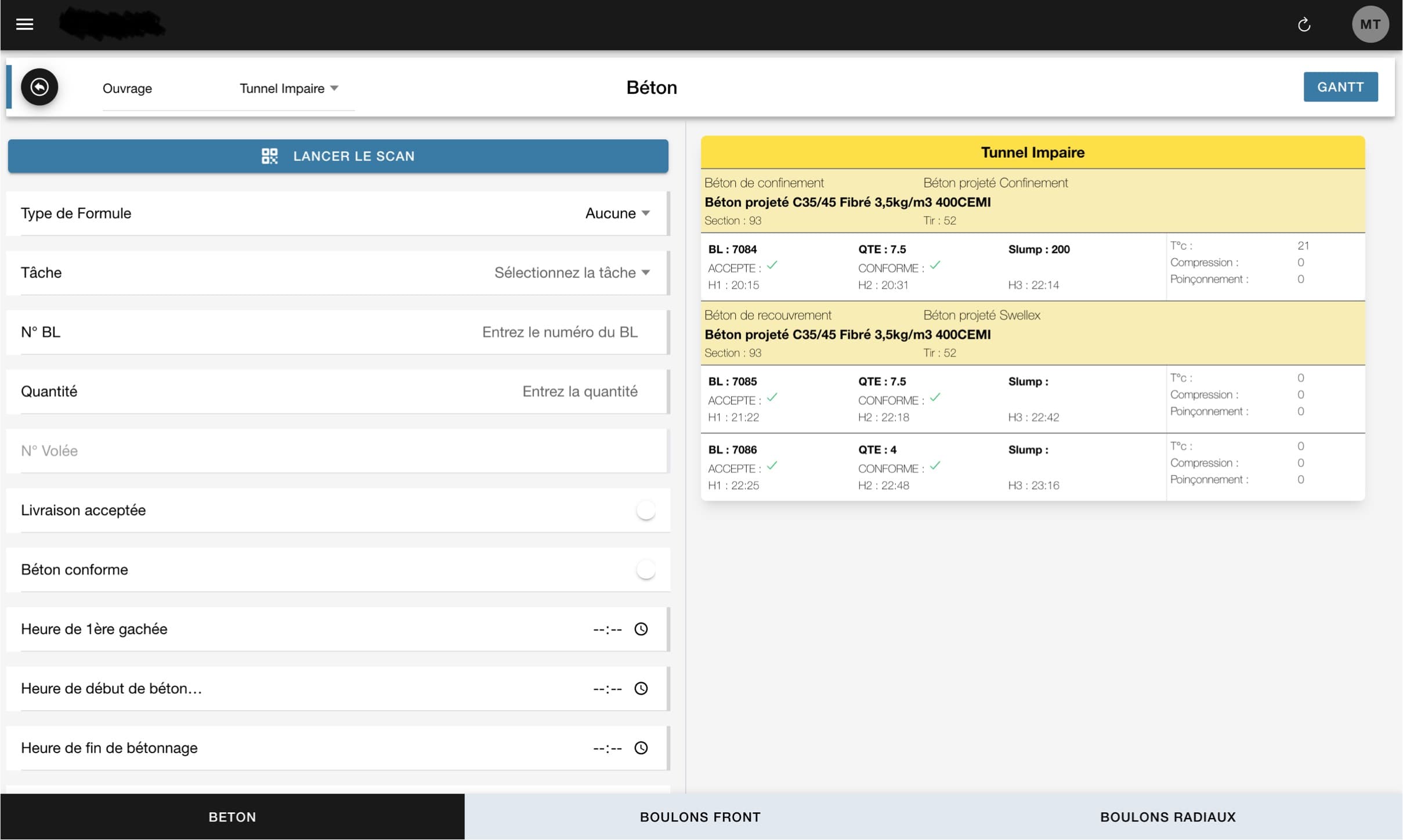
4. Report creation - Concrete
Recording concrete delivery notes by selecting the delivery number, quantity, formula, start time of concreting... The QR Code can automate the selection of quantity, concrete formula, first batch time, and delivery number.
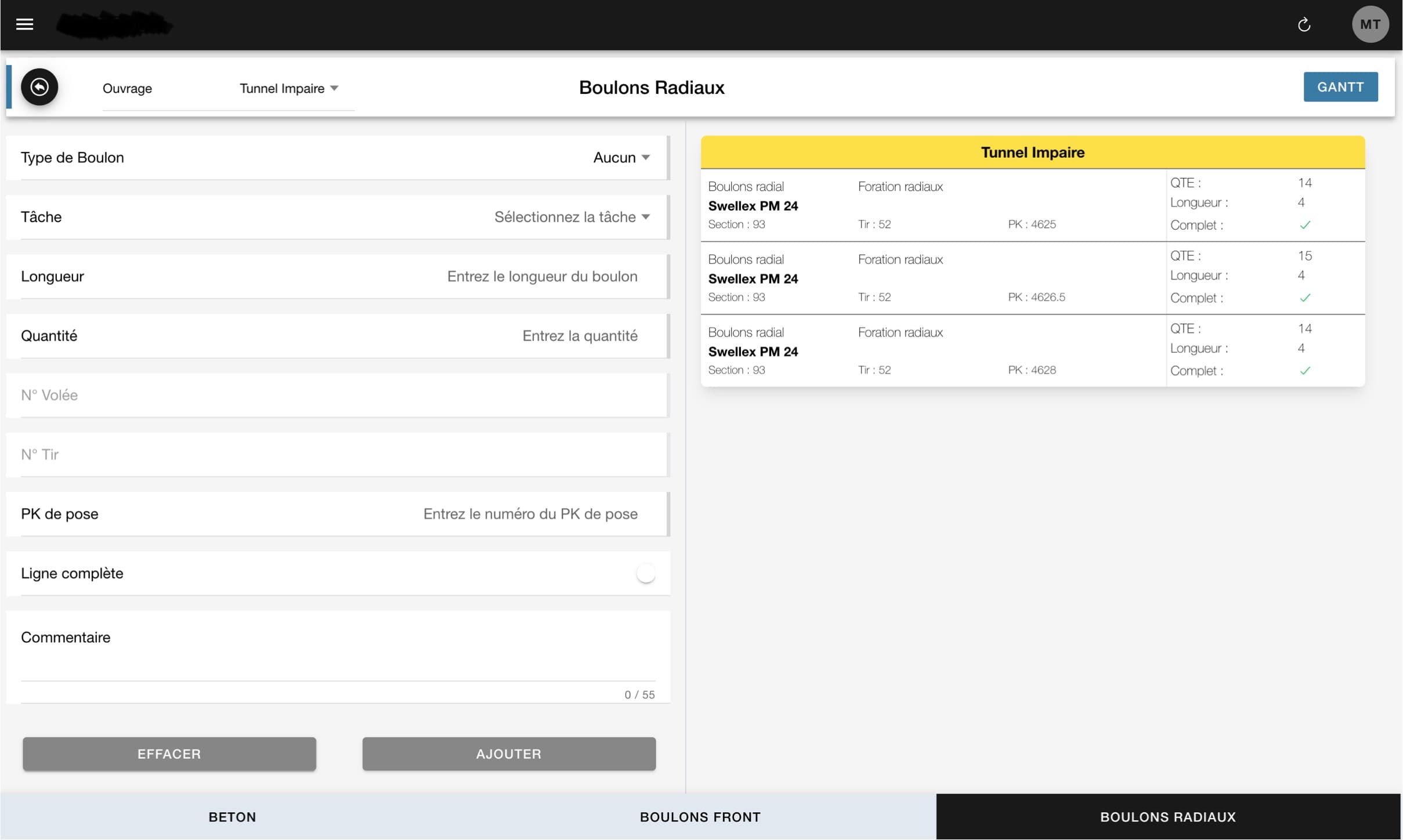
5. Report creation - AF, HA, swellex bolts
Recording HA, AF, swellex type bolts with quantity, installation chainage, grout injection quantity...
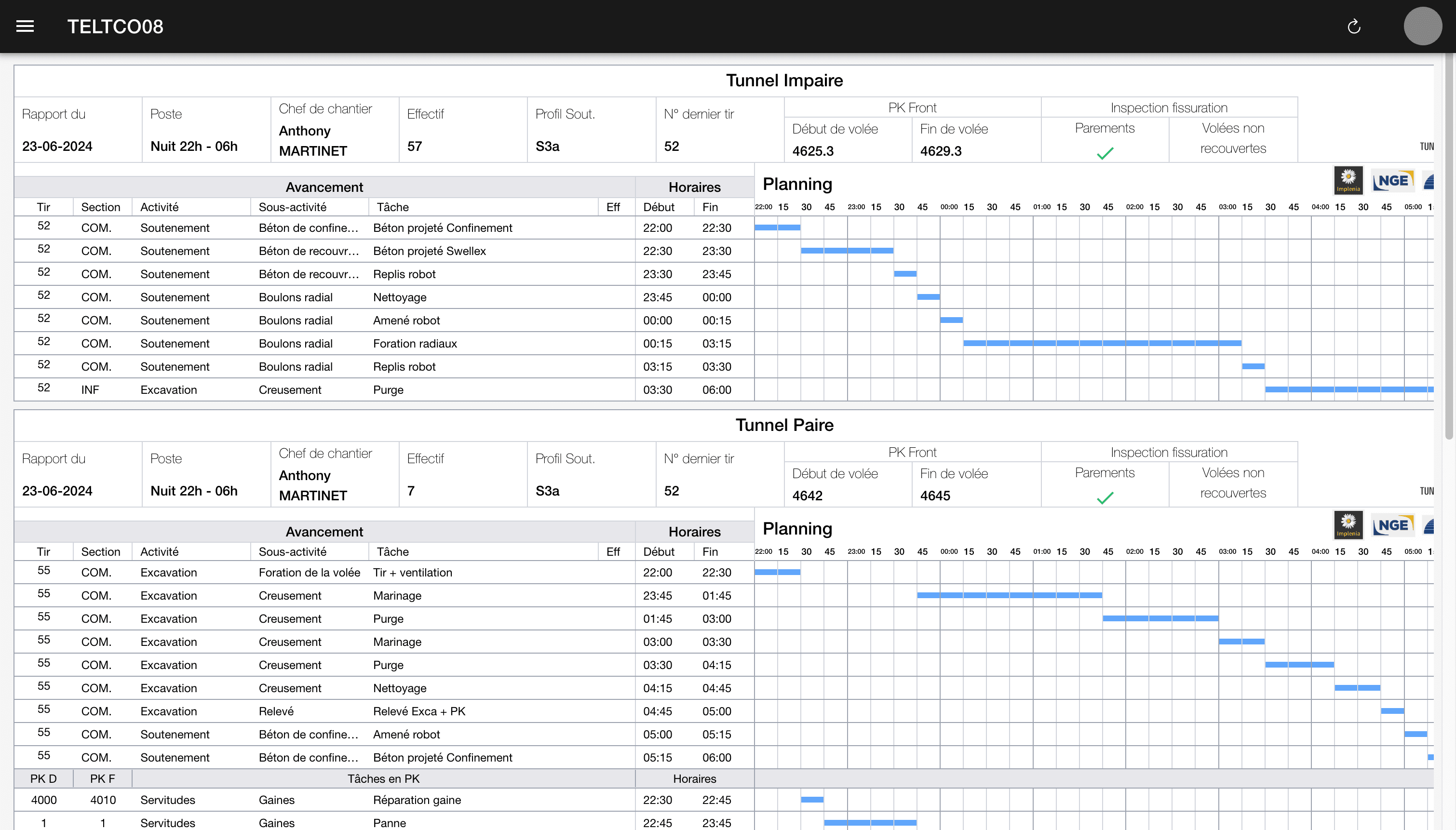
6. Report creation - GANTT
Report preview in GANTT format for activities and description of quantities, comments...
Report validation - web
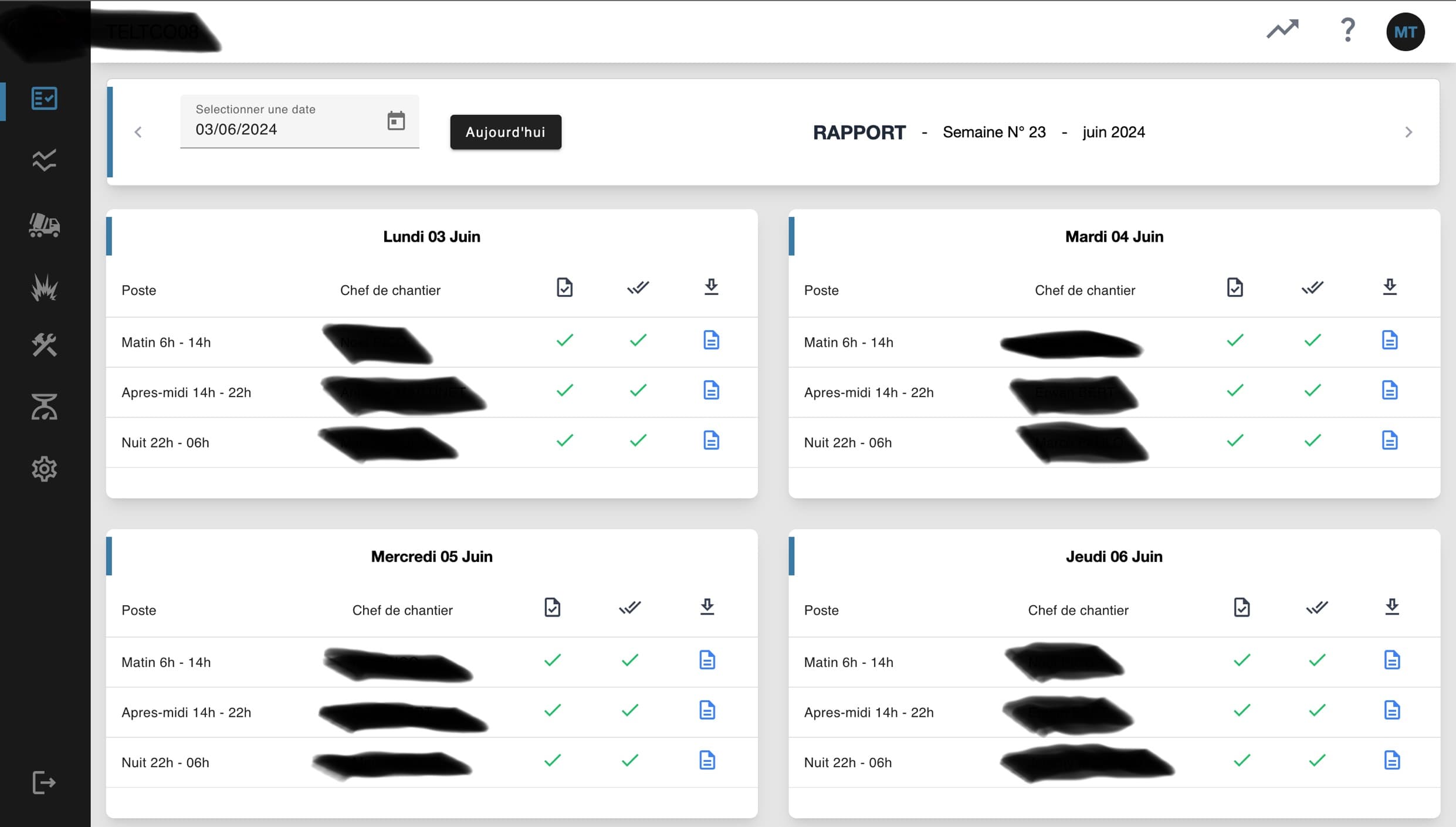
7. Home page
On the PWA and web version home page, you can see the shift reports for the current week. Week-by-week navigation.
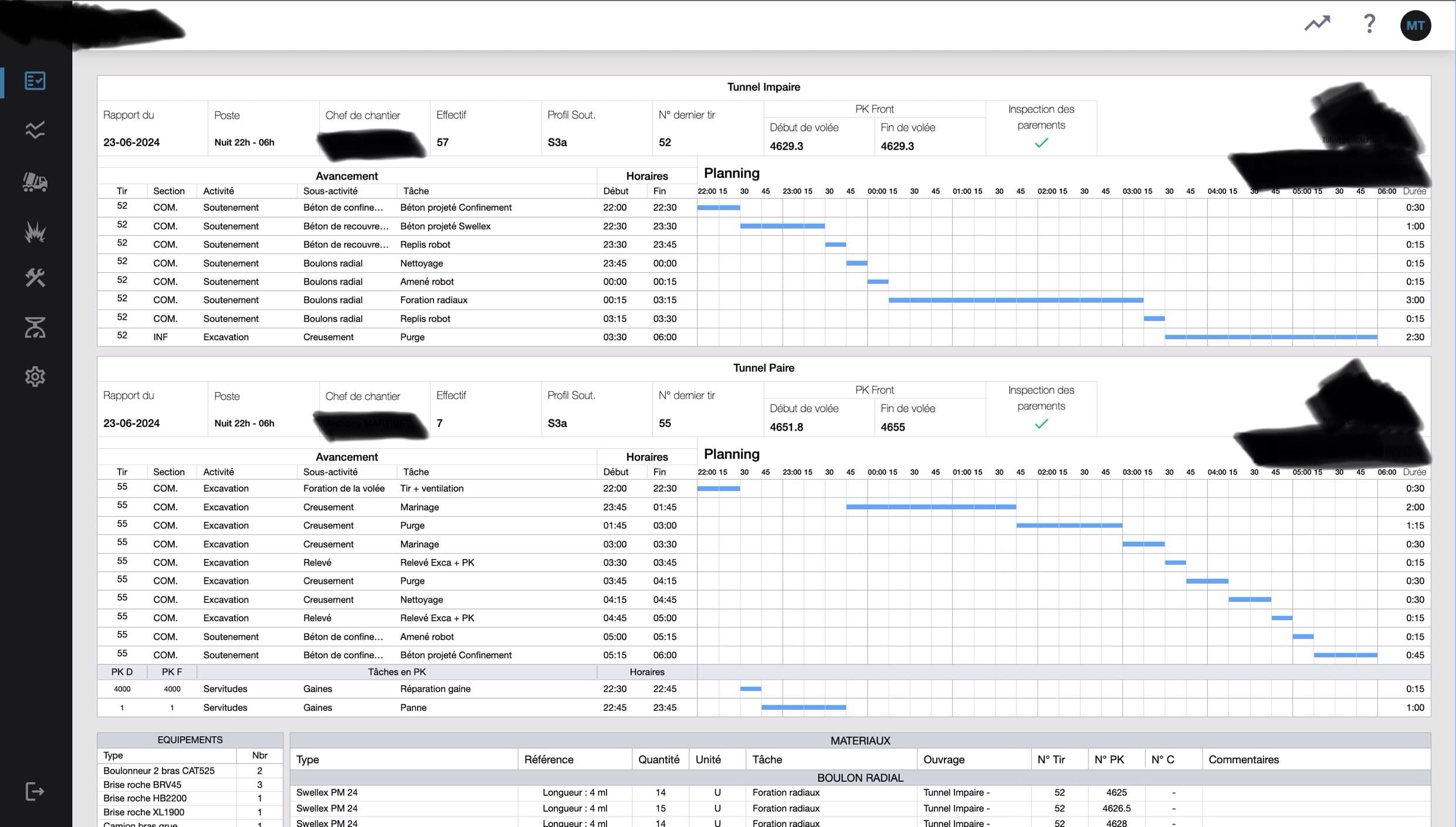
8. Shift report view 1/2
Shift report visualization: Activity section in GANTT format
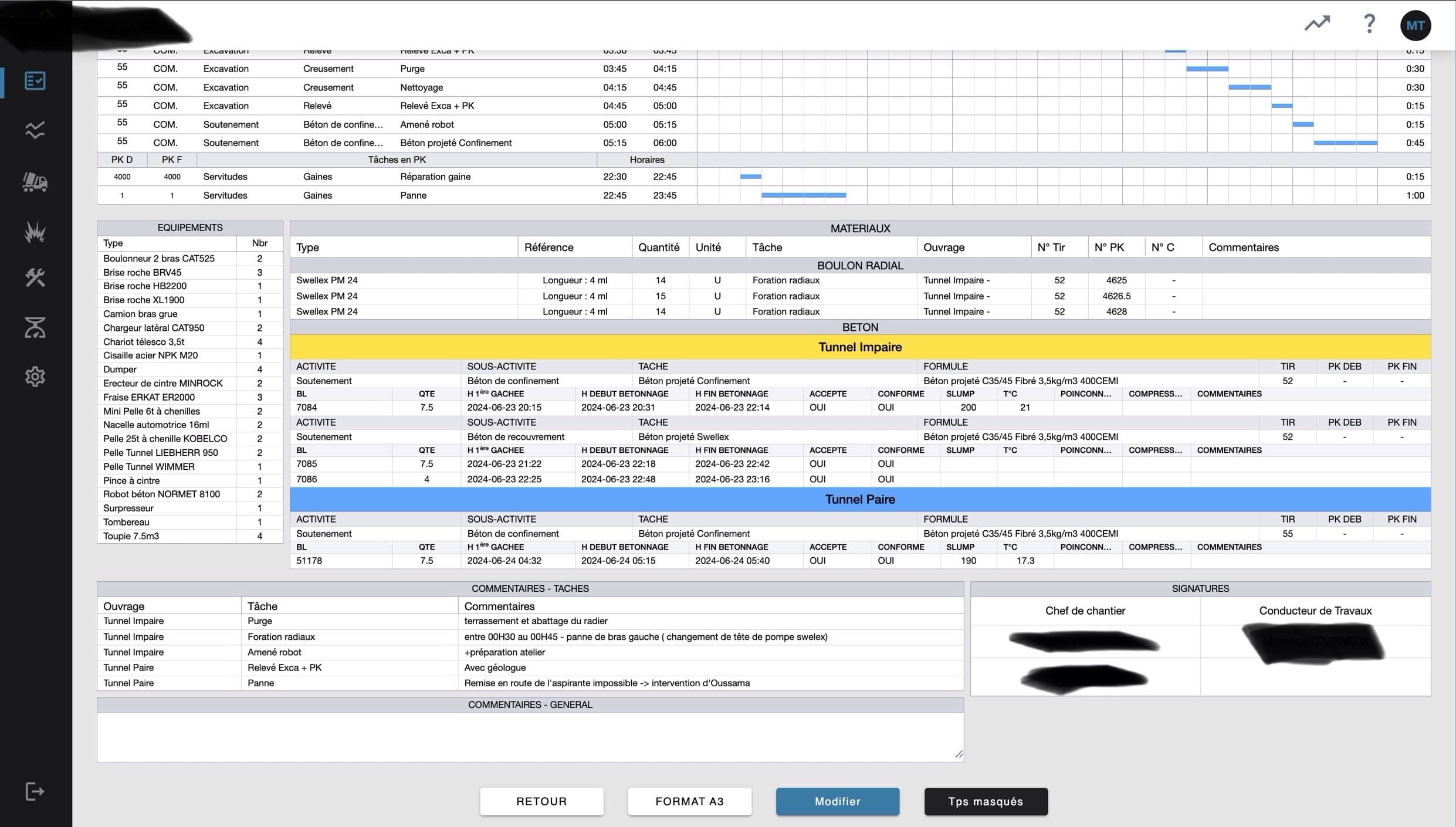
9. Shift report view 2/2
Shift report visualization: Description section with quantities, equipment, comments, signatures.
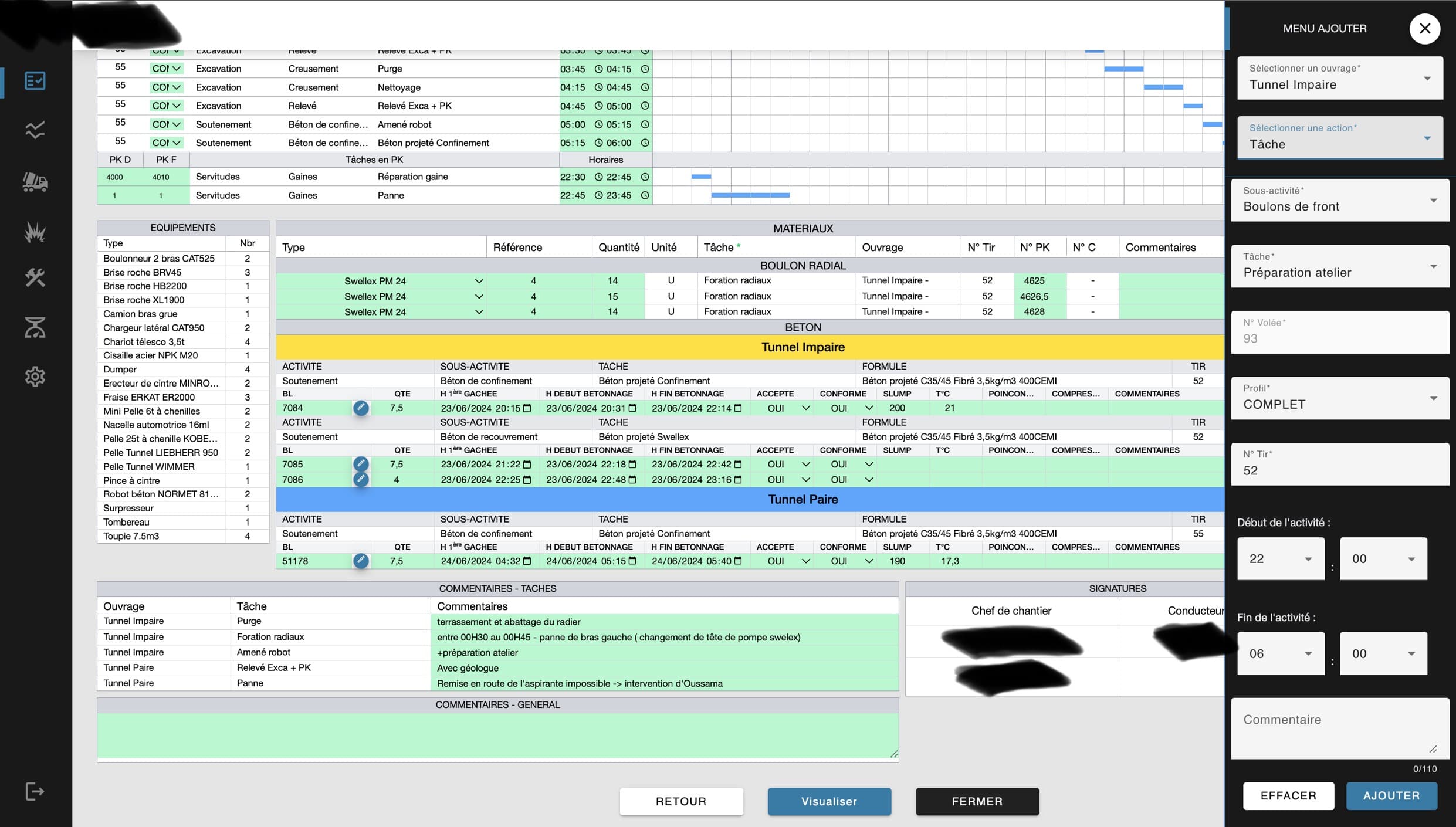
10. Shift report modification
Shift report visualization: Description section with quantities, equipment, comments, signatures.
Real-time analysis
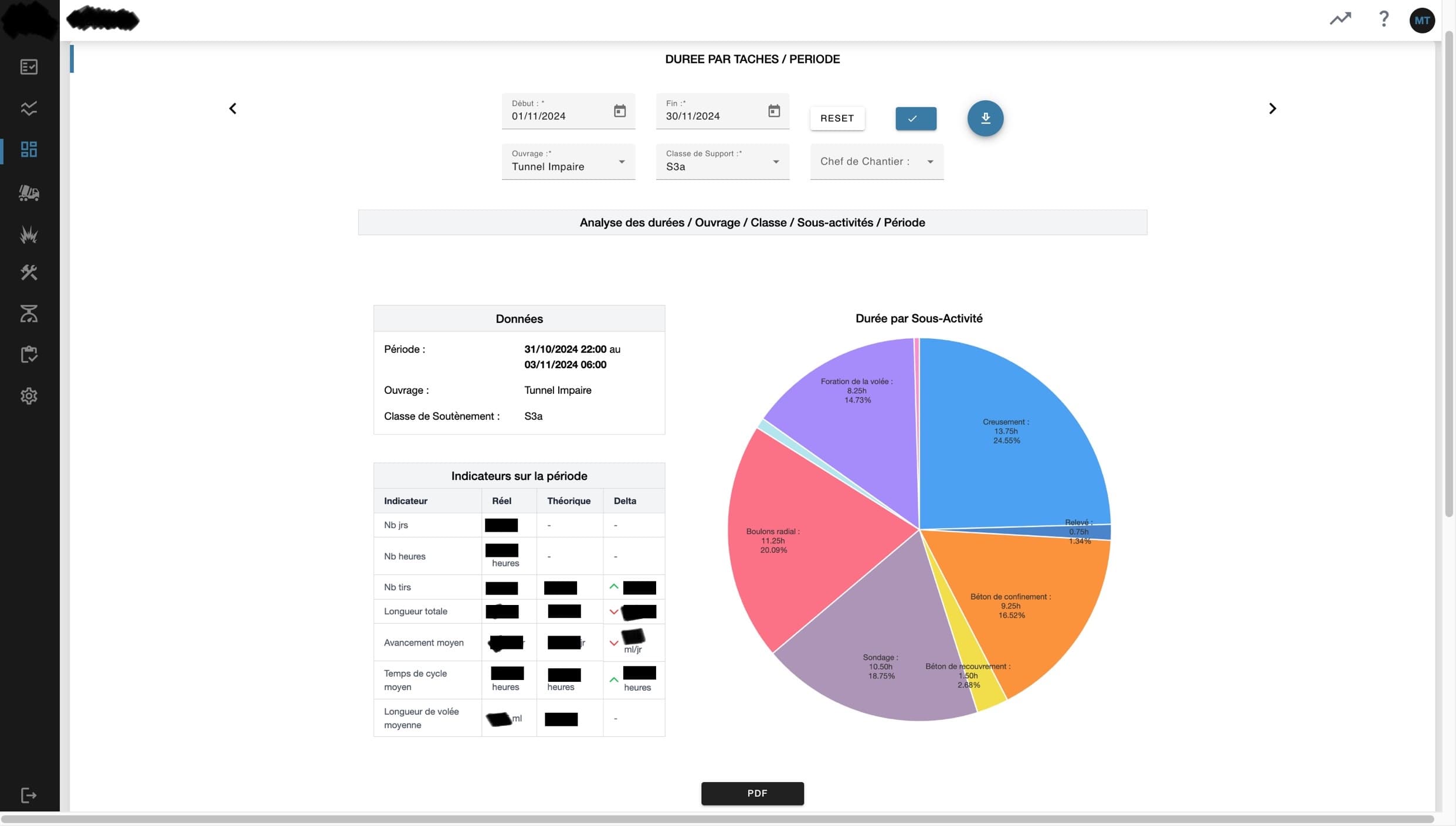
11. Real-time analysis
Real-time visualization of activities compared to contract times.
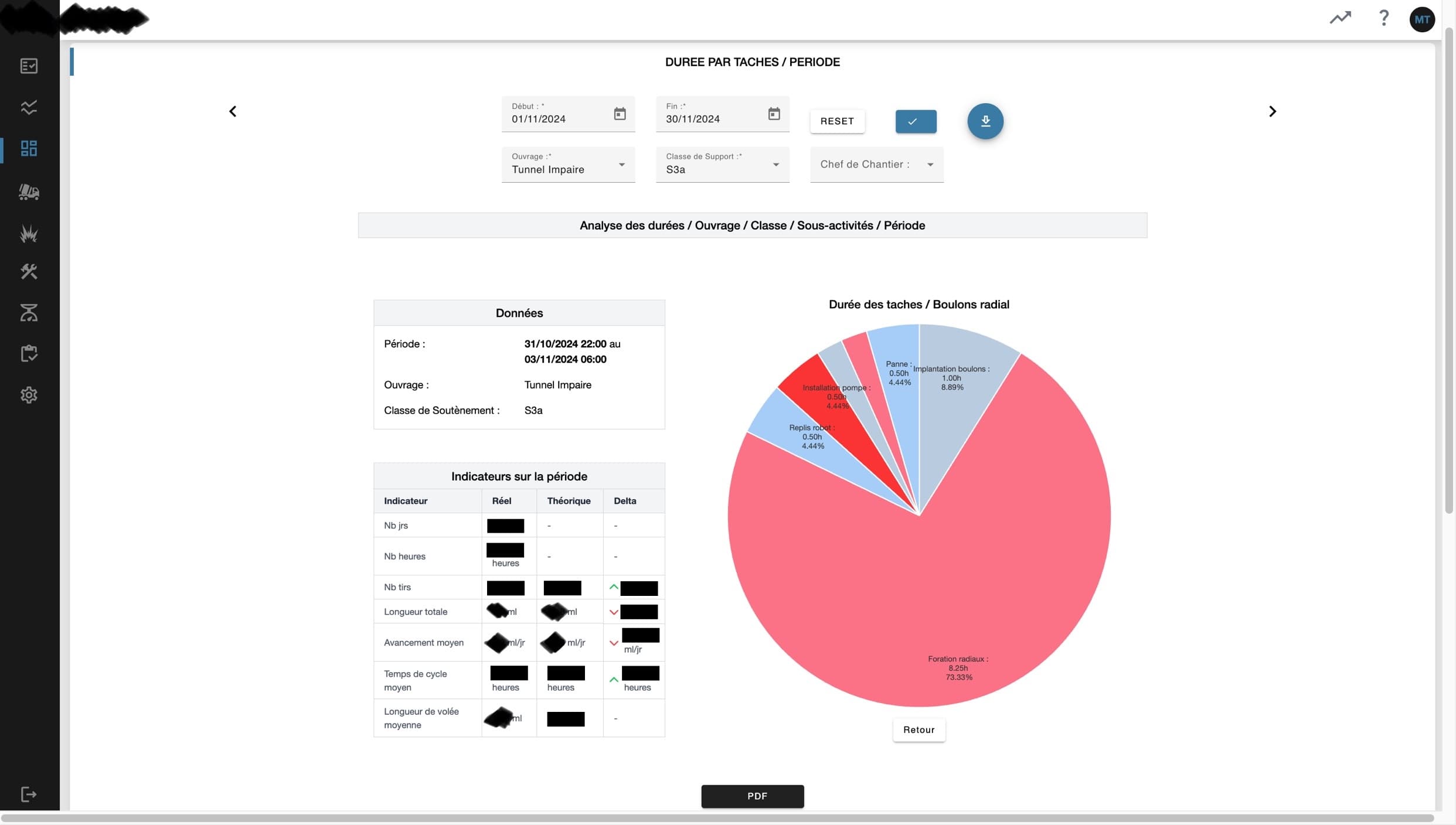
12. Real-time analysis
Real-time visualization of sub-activities compared to contract times.
Concrete tracking
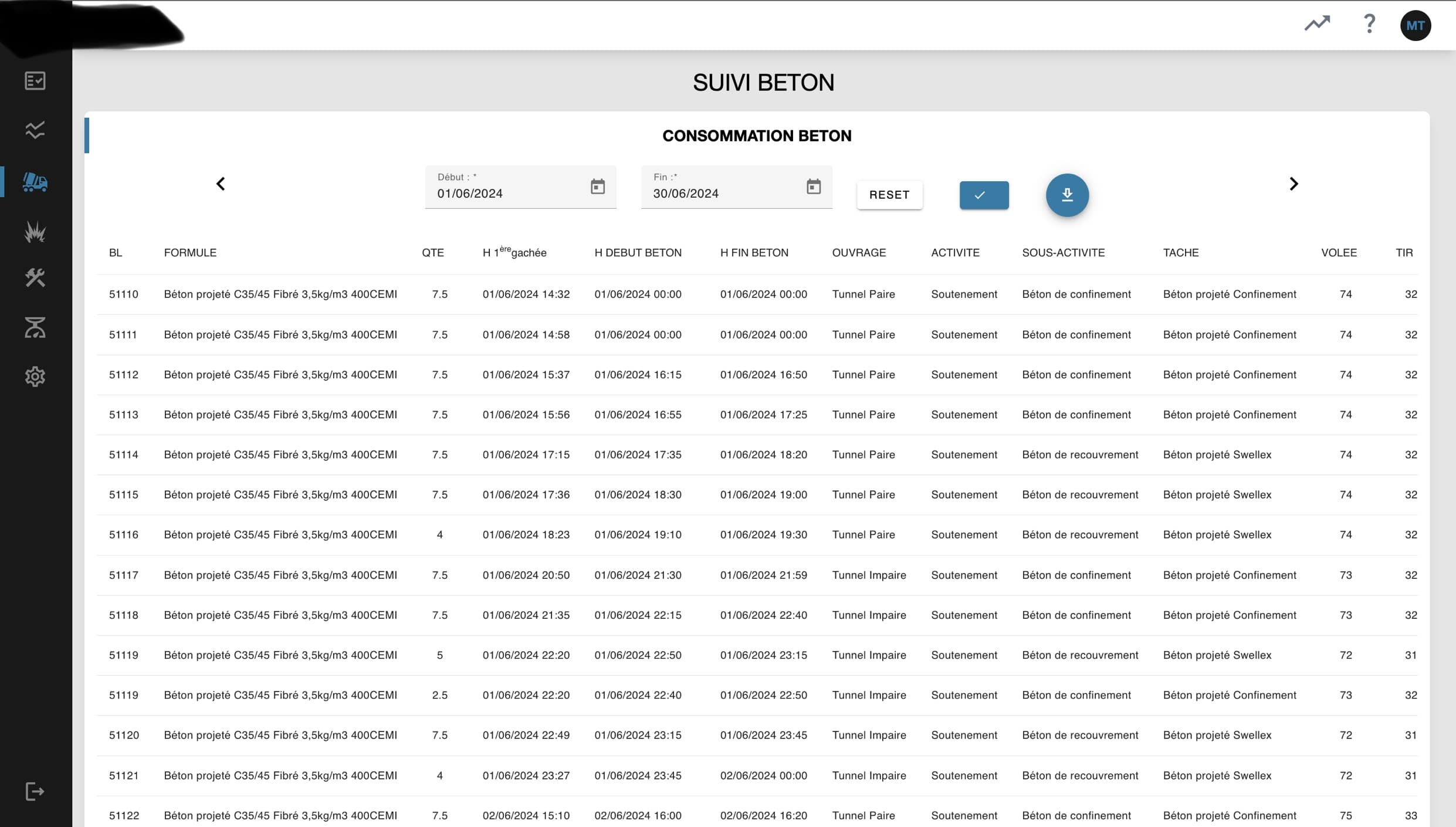
13. Concrete tracking
Visualization of concrete delivery notes with quantities, formulas, concreting start times... - Excel export
MATEX tracking
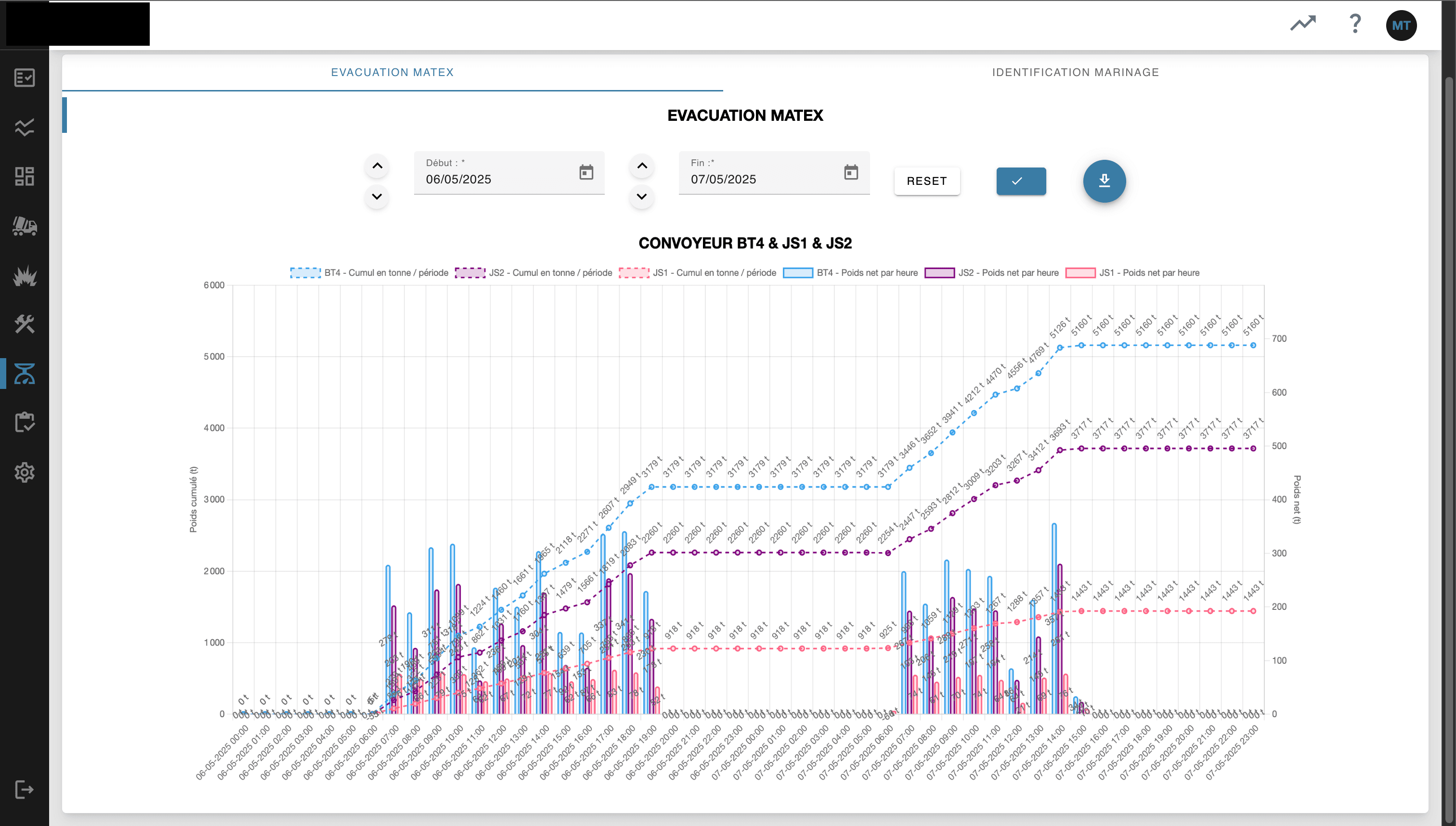
14. MATEX tracking
Display of MATEX data via the site GTC API.
And more features to discover:
- Analysis by blast groups
- Automatically generated monthly analyses
- Lining reports
- Equipment department reports - Breakdown and issue tracking - activities - Machine status table
- Tracking sheets (Blast sheet, Drilling sheet, Concrete sheet, ...)
- ...